Skip to content
View in the app

A better way to browse. Learn more.

NHL'94 Forums

A full-screen app on your home screen with push notifications, badges and more.

To install this app on iOS and iPadOS
  1. Tap the Share icon in Safari
  2. Scroll the menu and tap Add to Home Screen.
  3. Tap Add in the top-right corner.
To install this app on Android
  1. Tap the 3-dot menu (⋮) in the top-right corner of the browser.
  2. Tap Add to Home screen or Install app.
  3. Confirm by tapping Install.

Leaderboard

Popular Content

Showing content with the highest reputation on 12/03/2025 in all areas

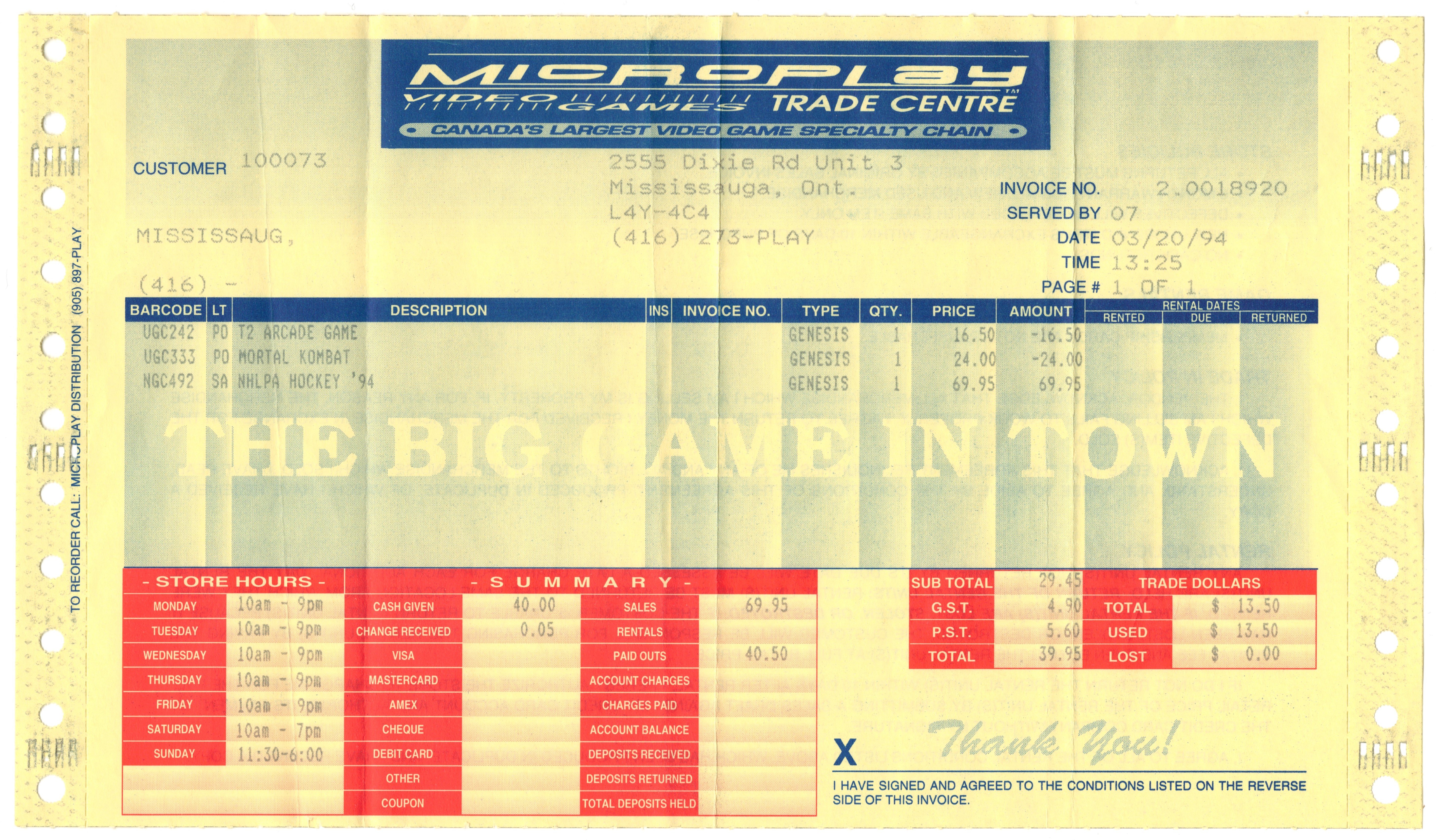
  1. Found this in a copy of NHL 94. Thought it was a pretty neat piece.
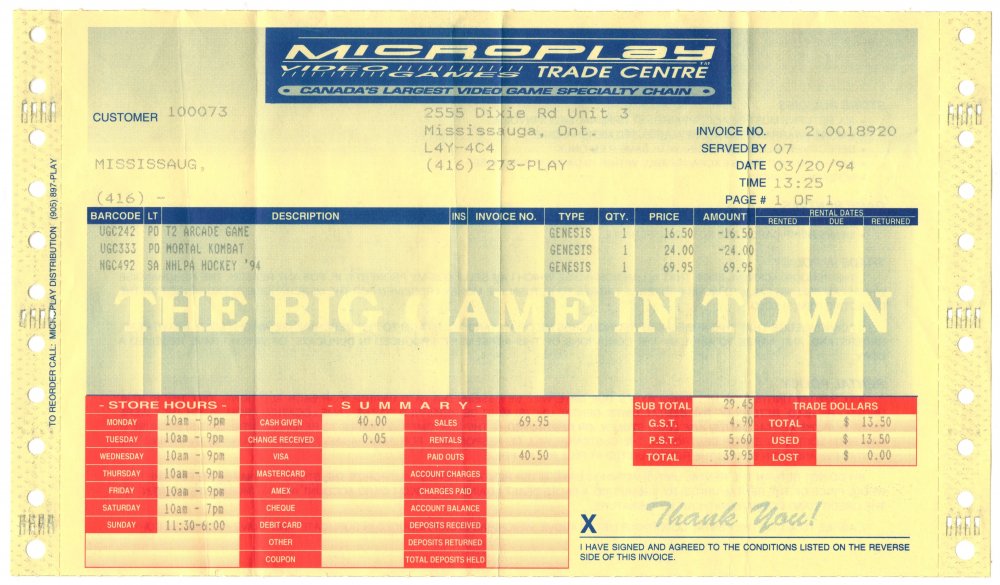
  2. Very cool Does the box have the gold Limited Edition serial number sticker on the front? We collect those serial numbers, and knowing for sure that particular serial number was sold in Mississauga will give us a reliable data point for some day decoding how the serial numbers were distributed . And to know if the Limited Edition were still on sale in March... Here's the thread if you want to post the Limited Edition number
  3. Work is in progress, I will release KHL 26 someday.

Account

Navigation

Search

Search

Configure browser push notifications

Chrome (Android)
  1. Tap the lock icon next to the address bar.
  2. Tap Permissions → Notifications.
  3. Adjust your preference.
Chrome (Desktop)
  1. Click the padlock icon in the address bar.
  2. Select Site settings.
  3. Find Notifications and adjust your preference.