
Jpark
-
Posts
19 -
Joined
-
Last visited
-
Days Won
1
Jpark's Achievements






-
Yeah I get how this rom was based on fictional teams from the famicom disc system version. The idea of having other cities/countries always popped in my head when revisiting this rom, a big "what if". If you ever do a part 3, I think that'd be a fun idea. I admire all the work you put into this rom, it's probably my favorite that you made. Cheers!
-
Hey @von Ozbourne, I know this is an old thread, but I was wondering if you're going to add any updates to this rom like adding other cities/countries. It'd be cool to see Seattle, Las Vegas, Colorado, etc etc added.
-
This is very well done! Been having a blast playing it. Hope you can come back next season to make another one.
-
Yes dude! I'm very happy to see you come back @AdamCatalyst! Seamor took the words out of my mouth. I love all the work and effort you put into your roms.
-
It's okay! I've been enjoying the rom. I hope you keep it up and are able to make updates as the season goes on. Thanks again for the fixes you've made.
-
Hey @UltraMagnus, when are you gonna be posting the opening night update to the rom?
-
It looks great! Thanks for the fix @UltraMagnus
-
That's good. The NHL 23 logo I've noticed is off to the right a bit too. But a online league sounds like it'll be fun!
-
Great! Will you be making updates throughout the year?
-
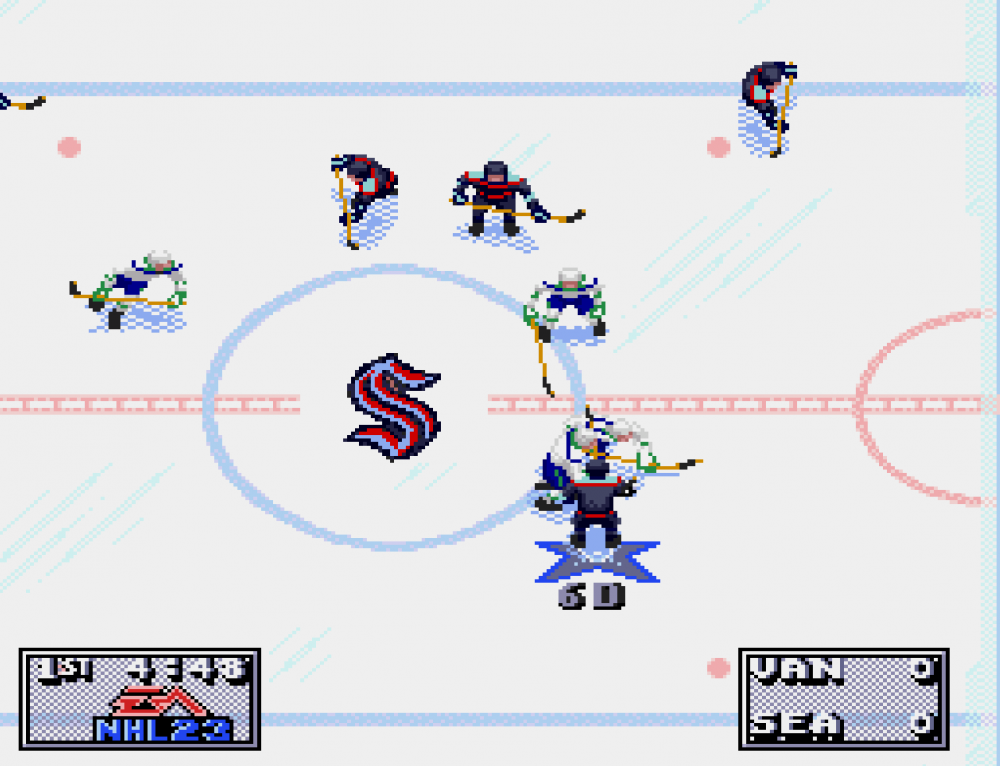
Hey @UltraMagnus could you fix the kraken logo please?
-
 Jpark changed their profile photo
 -
Wanted to say I appreciate all the work you've put into version 6.0 @AdamCatalyst! I hope you continue to add things as time goes on and I hope you continue to make more iterations as well. In a way it's starting to look and feel like a whole new game and I appreciate the work you've put into it. Also I'm not sure if you've mentioned this before, and if you have I apologize in advance, but when games go to OT, shouldn't it be 3v3 vs 5v5? I'm not sure you've you could change that and/or if you've mentioned that before.
-
Ohh! Gotcha! Thanks for explaining everything! Wasn't sure if it was a glitch or not, I see now. Keep doing what you're doing
-
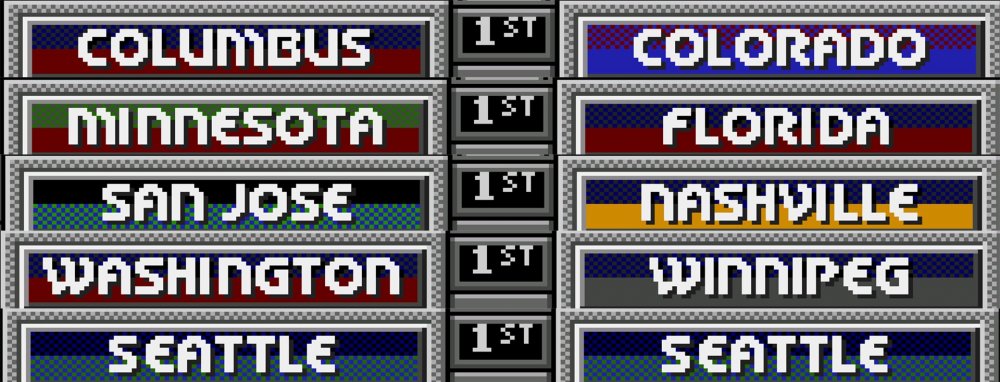
Started playing tonight and I love how you've redone the on ice logos of every team. They all look great. A glitch that I've found so far, is once you select your teams and you get past the overall ratings of the teams and you get to the versus screen (pause menu), the colors of some teams are messed up. I noticed it first with Seattle, and they seem to have it the worst, but I went through every team and found that Colorado, Columbus, Minnesota, Florida, San Jose, Nashville, Washington, Winnipeg and Seattle have this issue.
-
Hey @AdamCatalyst, sorry for the late response. It's been a bit busy and stressful for me lately. "As you know, the blue shoulders are, well, wrong. But that being said, I feel like, in play, the blue shoulders end up balancing out the uniform to give a closer impression to the real deal, despite being technically less correct." - I completely agree! Although it's "wrong" and everything, I think it looks good! It looks good in motion too. I've noticed the new face-off animation frames and composite sticks as well and it's looking great. I'm not sure if you could have the colors look any better than they do now with the 4.2 revision. I appreciate it again that you gave my suggestion another look. I think in terms of how the jersey colors are laid out for NHL 94, that's as accurate as I think it'll get. Great job!
-
No problem! And I'm glad to hear that. I'm sure when you get to Seattle, you'll do what looks best and do what is most accurate. The more I look at the jerseys, but more I see that the only thing that may "need" to be added is just a deep sea blue stripe in-between the ice blue of the away jerseys. But, you can change it to what you think looks the most accurate when you get to it. I just want to make sure it's accurate, but I can tell you're trying to be as accurate as possible with jersey colors, ratings, pictures, and many other things in your list. I'm sure what you decide on will look the best. Keep up the good work!