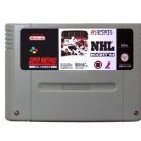
dethrox Posted May 25, 2008 Report Share Posted May 25, 2008 If you play 94 and live in BC, leave your name here and we can set up a ridic tourney, i know about 10 people already or more who are 94 experts.. any extra names would make for a crazy night! This is SNES Quote Link to comment Share on other sites More sharing options...
Stefan Posted May 26, 2008 Report Share Posted May 26, 2008 If you play 94 and live in BC, leave your name here and we can set up a ridic tourney, i know about 10 people already or more who are 94 experts.. any extra names would make for a crazy night! This is SNES Ridic? I live in Vancouver, we do regular tournies with 4 teams... We'd probably smash you guys, what's a ridic tourney? Quote Link to comment Share on other sites More sharing options...
dethrox Posted May 26, 2008 Author Report Share Posted May 26, 2008 i know, ive played in your tourney, wasnt on a good day, lets do another one up soon Quote Link to comment Share on other sites More sharing options...
shaftman Posted May 26, 2008 Report Share Posted May 26, 2008 Ridic?I live in Vancouver, we do regular tournies with 4 teams... We'd probably smash you guys, what's a ridic tourney? ridic. is short for ridiculous. and dethrox i didnt know you were back in BC? this why you havnt been on aim for games? cauusee you know...i thought you ran and hide since ive been kicking your ass Quote Link to comment Share on other sites More sharing options...
Recommended Posts
Join the conversation
You can post now and register later. If you have an account, sign in now to post with your account.