von Ozbourne
-
Posts
439 -
Joined
-
Last visited
-
Days Won
113
Content Type
Profiles
Forums
Events
Everything posted by von Ozbourne
-
Importing a roater from 1 rom to another
von Ozbourne replied to LupDiggah's topic in General Discussion
Yes to this, but I will just add that it only pastes the order of the players. So if you simply copy/pasted the entire rosters from '98 and pasted them into '97, this will work. But if you rearrange the order that the players are listed in the Players window in anyway, you will notice some issues. ie: if your first line consists of the fourth, fifth, seventh, fifteenth and twentieth players in your list, then copy/pasting the line will select the players in those same slots to make your new line, even if you first rearranged the order of the original players for some other organizational purpose. -
Hockey Stars [Pocket Edition] [AND Pocket Colour!]
von Ozbourne replied to von Ozbourne's topic in Genesis Roms
Turns out much like Baseball Stars for the Pocket, the monochrome version of Hockey Stars was adaptable to the colourized remake as well. Updated the full review above, but here it is. Hockey Stars NGP Colour.bin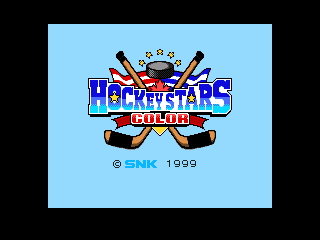
-
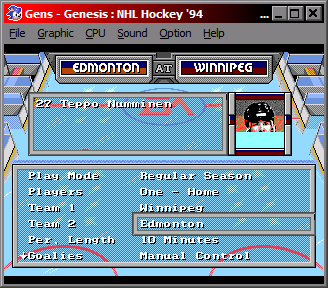
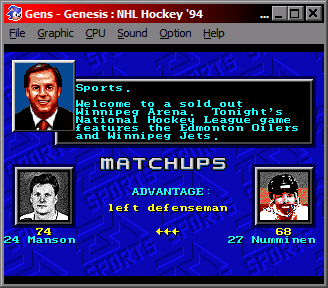
Oh!.... I did find out something about this one. You can actually change the palette in the player cards. In the original game anyway. I don't think I figured out the 32-team version. The problem however is that the palette numbers reference a different set of colours depending on which screen you are on. Although, speaking of 32 teams, with the Arizona door supposedly being left open a crack for the next five years, [assuming they don't repeat a New York Americans situation where the franchise was withdrawn in 1942, but not officially cancelled until 1946 when the owner tried to reactivate it] is it time to try to add another two teams to the NHL'94 fold?
-
As someone who usually plays an aggressive defensive game, I've had that fourth, fifth... sixth guy jump into the box and either overlap the rightmost player or possibly just disappear. [Actually I had run an experiment in NHL95 back in the day, playing as Pittsburgh, I had so many guys in the box that the game only gave me two players on the ice and my d-man was Ken Wregget. Only three of those 20 penalized players displayed in the box obviously. Then my brother played 20 minute periods, got Cam Neely to score 40 goals in a single game, and completely glitched the season and anything that recalled the records] Back to '94, I don't remember where this was originally found, but there is a code that determined how many players line up in the box. No problem reducing it to one or two, but when you logically increase that number to four, it doesn't work so well. Was hoping that you could just extend the box and have another guy sit to the side or in the crowd or something, but it just completely glitches the game.
-
With the checking source discovered, am I the only one who wants to know how to tweak the values? I'm thinking along the lines of increasing the range of effect, so you can go from half the dudes no-selling like a jabroni to now half the dudes flipping out like Hong Kong kung fu movie minions. Too much?
-
Hockey Stars [Pocket Edition] [AND Pocket Colour!]
von Ozbourne replied to von Ozbourne's topic in Genesis Roms
Given that Baseball Stars Colour was literally just a colourization of the original monochrome game released a year later, It probably wouldn't have been that hard for SNK to give this game the same treatment. And I was thinking it would be nice to see some of those new/old assets in something other than grey... -
Hockey Stars [Pocket Edition] [AND Pocket Colour!]
von Ozbourne replied to von Ozbourne's topic in Genesis Roms
Those are interesting tournaments. Takes a lot of research to make those historic games though. -
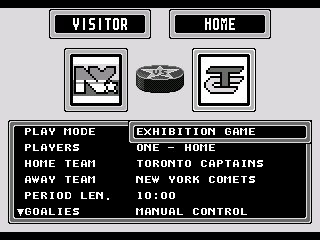
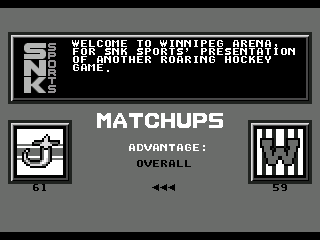
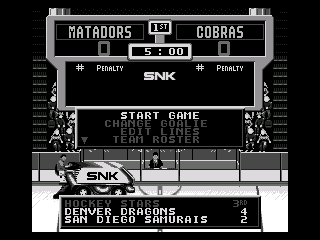
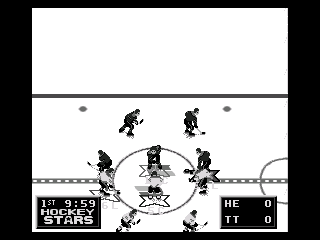
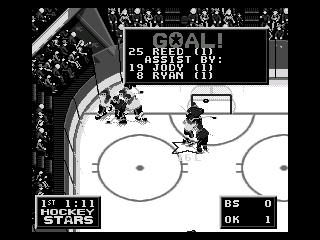
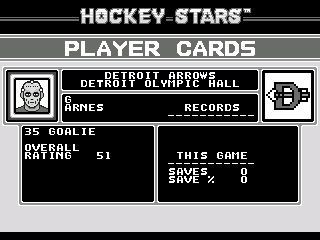
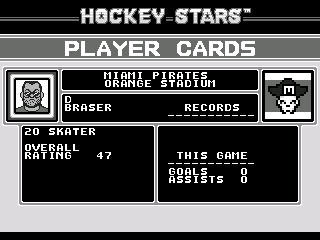
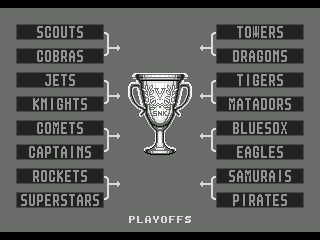
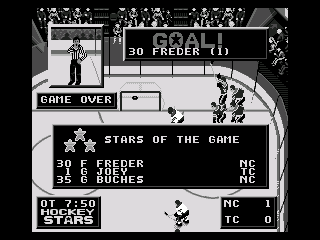
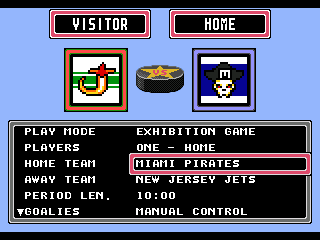
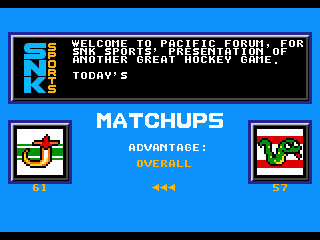
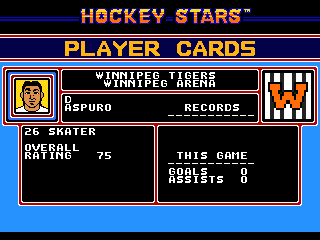
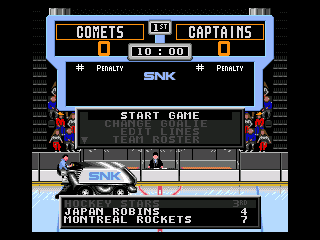
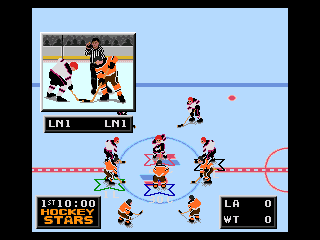
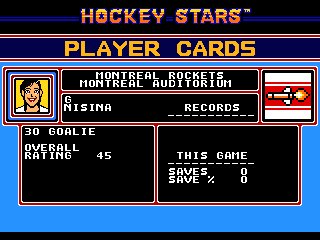
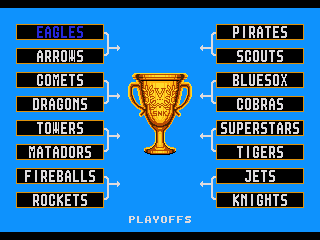
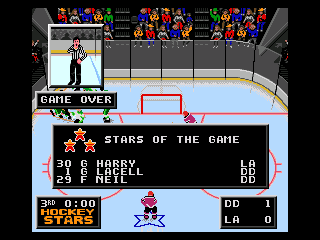
"So you got all the other ones, what about the Pocket?" "What?" "The NEO*GEO Pocket version of Hockey Stars." "Hm... I'll look into it." Okay. So the idea behind this one, for those who need a quick backstory. As per wikipedia, "The Neo Geo Pocket (NGP) is a monochrome handheld game console released by SNK." It was released in Japan only in late 1998 and was essentially discontinued six months later with the release of the Pocket Colour. It launched with six games and saw another three released by the end of the year, before efforts were switched over to making Colour ports. As a side note, the Pocket Colour would meet the same fate as all handhelds that try to compete with the Gameboy and be discontinued two years later, as would the company. Be discontinued that is. Having declared bankruptcy. Correction: They made ten games that year. And like many of the original Pocket games, SNK colourized it the next year. But since most people don't have a NEO*GEO Pocket kicking around, we're going to cover the ports that came in the same re-release collection as Hockey Stars 0. Alright, that preamble was pretty amble-ly, but it seemed important to set the stage for what this is. A SEGA Genesis game that looks like a Gameboy game. So I present a retro-style review of both the original and colour remake of: While titled simply "Hockey Stars", it is known colloquially as Hockey Stars Pocket or Hockey Stars NGP. Or Hockey Stars Colour! And it was developed primarily buy Saurus, a subsidiary of SNK that also developed the NGP version of Baseball Stars. Getting into the game, this port doesn't stick to the original resolution of the pocket screen thankfully. but many of the graphics, as well the the monochromatic-ism of an original Pocket release. Maybe at some point we'll see if they ever ported this one to the colour. It's notable that the team names and logos this time were borrowed primarily from the NES version of Baseball Stars II, rather than the Pocket versions of Baseball Stars, as many of those were heavily baseball themed. One change though is that several of the teams have had logo updates when they looked too much like some initials on a ball cap, and changed cities from some smaller baseball towns, to more traditional hockey markets. At least the game is colour blind friendly. And the Colour version is pretty bright. One thing to note, while the 18 playable teams all have colourful fictional names, being restricted to eight total grey tones including black and white, means that a lot of thought had to be put into contrast, and every team looks the same with light grey home and dark grey away uniforms for maximum discernible-ness at full speed. And now individualized colours in the colour version. I though Denver was a dinosaur, not a dragon... The game does support up to four players, but being that this is half of the grey tones, telling everyone apart might not be the easiest task. Much easier in Colour. I did like the starry "O" from the original NES game's assets. Alright. One of the best parts of the original NES game, was the player profiles. And we revisit those here too, even if the game doesn't have the capacity to allow for hiring, firing, trading and upgrading. We are treated to a nice set of unique photos. Checking out the player abilities. It would appear that the rosters are also borrowing from Baseball Stars II, and are as usual in this series, vastly min-maxed for acute player specialties. Some playing around with rosters may be required to get a starting lineup that you find best suits your playing style. Goalies be crazy. Some even bright their old-school masks to picture day. While the limited grey scale seemed to relegate everyone to a mid-toned skin shade, it is notable that almost every team has one or two co-ed members. Colour makes for three different three different skin tones as well as some nice mixing it up. Finally, there are three game modes, Single Exhibition, or play for the SNK Cup in a 16-Team Tournament with Single Elimination or Best-of-Seven formats. There is also a Shoot-out mode from back before those were played out. And the trophy actually looks like gold now. I don't know if there was a colourized version of this game. Turns out it didn't sell well on the rare system, so SNK made the switch. in Might have to see how the reception to this one went. Hockey Stars NGP.bin And now Hockey Stars NGP Colour.bin






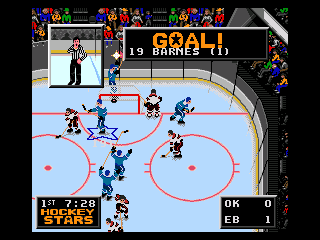
-
I will say that I did do a bit of looking into this one, but... I did use the blue of the player shadow for economical reasons. Long story [that I can't really explain very well] made short, the problem I found is that there just simply isn't enough pixels to get the point across in a manner that I liked. Best I could manage was to just change the dead eyes to the skin tone to match the old SNK NES look.
-
I heard it was a very small production run. Probably just never made it to your local game store.
-
NHL 2024 ['94] by JKline3 and von Ozbourne
von Ozbourne replied to von Ozbourne's topic in Genesis Roms
Sorry guys. That bug was intended to be a feature. If you tested out other teams, you might have noticed a trend in that all of the teams that are within reach of making the playoffs are featured in the game, and all of the teams that are functionally eliminated, were told to empty their lockers and go home. Except for the goalie. Who donned practice gear. But he does eventually decide he's had enough and will bugger off as well at the start of the third period. After further reflection, it was probably a missed opportunity to not set the goalie roaming area to the entire rink. Uh...April fools. To make it up, I'll probably set up a real update once the playoffs start. -
HOW TO: Pull CPU Goalie earlier & by how many goals [GENS]
von Ozbourne replied to McMarkis's topic in How-To & Reference
Had to test this out in the other games of course. The numbers are a little different between games so I had to limit my search for instances of "0002 6600", but found that the sequence that @smozoma laid out above held true in all of the games from '92 to '95 in some form of 6B00 xxxx B07C 0002 6600 xxxx 0C78 003C. Tested them all with a few extreme numbers and they all behave as described above [if my tests did mean chaos ensued] No luck with '96-'98 sadly. For anyone interested, here is the complete list of offsets. NHL'92 offset 7AB2 = 6B00 [change to 6300] offset 7AB8 = 0002 [goals at which CPU team pulls goalie] offset 7ABA = 6600 [change to 6200] offset 7AC0 = 003C [seconds remaining in third period at which CPU team pulls goalie - in hex] EA'92 offset 76A4 = 6B00 [change to 6300] offset 76AA = 0002 [goals at which CPU team pulls goalie] offset 76AC = 6600 [change to 6200] offset 76B2 = 003C [seconds remaining in third period at which CPU team pulls goalie - in hex] NHLPA'93 offset C308 = 6B00 [change to 6300] offset C30E = 0002 [goals at which CPU team pulls goalie] offset C310 = 6600 [change to 6200] offset C316 = 003C [seconds remaining in third period at which CPU team pulls goalie - in hex] NHL'94 offset F758 = 6B00 [change to 6300] offset F75E = 0002 [goals at which CPU team pulls goalie] offset F760 = 6600 [change to 6200] offset F766 = 003C [seconds remaining in third period at which CPU team pulls goalie - in hex] NHL'95 offset 83674 = 6B00 [change to 6300] offset 8367A = 0002 [goals at which CPU team pulls goalie] offset 8367C = 6600 [change to 6200] offset 83682 = 003C [seconds remaining in third period at which CPU team pulls goalie - in hex] Eliteserien'95 offset 80BD4 = 6B00 [change to 6300] offset 80BDA = 0002 [goals at which CPU team pulls goalie] offset 80BDC = 6600 [change to 6200] offset 80BC2 = 003C [seconds remaining in third period at which CPU team pulls goalie - in hex] -
NHL 2024 ['94] by JKline3 and von Ozbourne
von Ozbourne replied to von Ozbourne's topic in Genesis Roms
Just a mini update today. Rated a few new players. Made an edit to the "pull the goalie" formula after remembering to go back and review the summary that @smozoma was excellent enough to post on that subject. Decided to turn this one into a Path to the Playoffs Edition to highlight all the teams that are gearing up for a run at the Stanley Cup. The trade deadline sellers are still there despite having fewer bodies than they did at the start of the season, but lets face it, much like the fans that are still showing up to the games in real life, you're probably going to have more fun playing as the teams that are looking to extend their season and not their lottery odds. an April Fools joke. Have fun. NHL 2024 - Retro 94 PTTP Edition.bin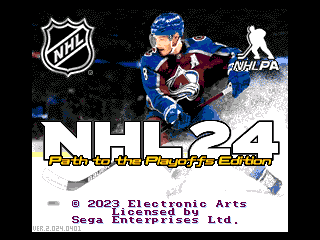
-
At risk of sounding self promoting, your question makes me curious. Aside from the obvious graphical differences, there were some slightly different philosophies going into the game play of these two options. But then the question is: Is it noticeable enough that the games may have different accessibility levels for different skill levels? Or is the game inherently the same, and the only real difference felt is going to be in the overall ratings of the players on the team you select, and is that going to be minimal because of the limitations of the game engine. The way I play means that I'm just adapting to changes all the time, so I can't really get a a good baseline. But I'd be intrigued to hear if this version of a "modded NHL game with latest rosters" is a different experience for you.
-
Hockey Stars 0 [Zero episode. Very similar to NHLPA'93]
von Ozbourne replied to von Ozbourne's topic in Genesis Roms
Thanks eh. Funny enough, I don't play all that much anymore either. I think it's been a few months where literally the only reason I've fired up the emulator is to play test the current project or to check out the hacks that others have posted recently. -
Hockey Stars 0 [Zero episode. Very similar to NHLPA'93]
von Ozbourne replied to von Ozbourne's topic in Genesis Roms
Eh, what the heck, I'll link these two here just to complete the "Trilogy" in one place. -
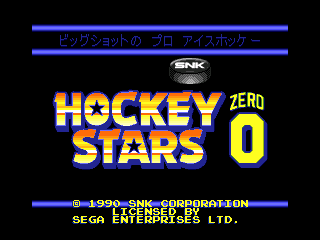
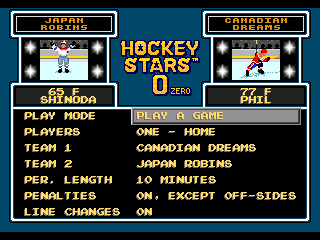
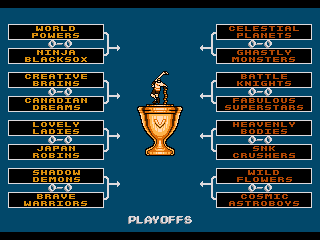
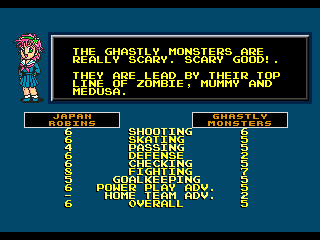
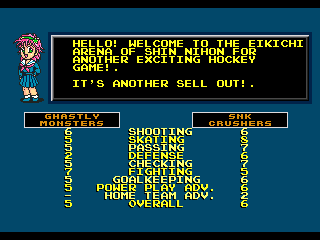
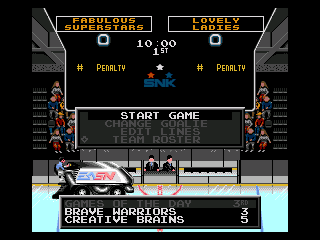
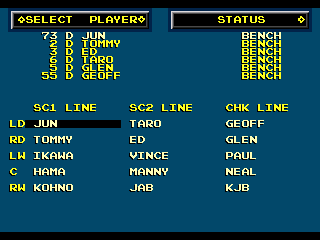
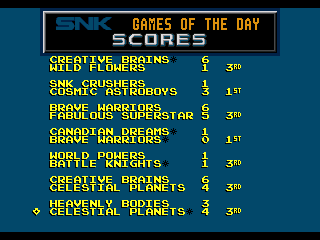
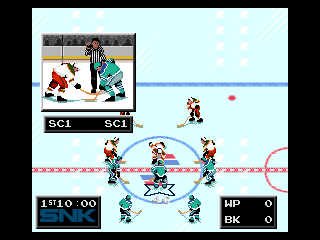
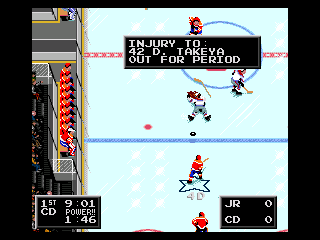
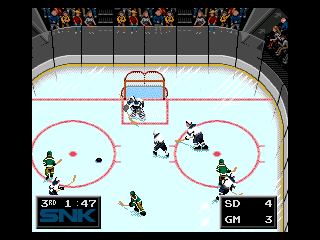
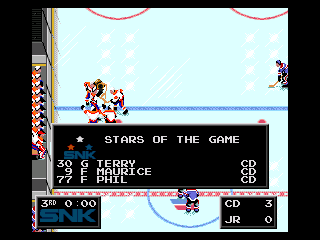
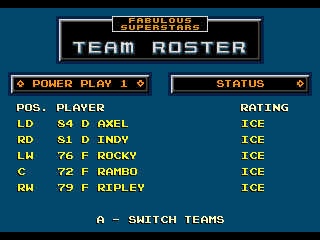
Alright, time for a return to an old series, but this time with a little bit of a twist. The "retro review" is going to be about a "re-release turned prequel" of a "fan favourite" series. It all started with a game originally released in Japan, where the sequel saw a North American localization and new title, but dropped the "2" in order to not confuse the silly English speakers. [Think the Mother/Earthbound or New Hot-Blooded Tough Guy/River City Ransom/Girls series] This game, with it's original Japanese title of BIGGUSHOTTO NO PURO AISUHOKKĒ has the literal translation of: Big Shot's Pro Ice Hockey. Apparently being a pun of a "Big Shot" being both a "Star Player" and "Booming Slapshot". But when SNK decided to release the sequel two years later, it was localized to English as Hockey Stars. Now, with remastering and releasing older games being in vogue, it became necessary to fix the numbering to show that this was an earlier game. So with that, we subtract 1 from the original Japanese Mega Drive release and localize it to a North American SEGA Genesis release as: SNK kept the original low resolution opening screen, but spruced up the title screen in this translation. The main menu shows the design similarity to its baseball counterpart, while highlighting that this is a much more exciting and fast moving sport. The player [or two] can select from 16 teams with names you will recognize from the NES Baseball Stars or the NEO*GEO Baseball Stars Professional. Game options include a single game, a 16 team, single elimination tournament or a best-of-7 playoff to win the golden goblet. This nonchalant fellow is showing off how many goals he scored. The games are preceded by a cameo of Athena [another SNK character] introducing the match, the two competitors and their starting lines. For context, Eikichi Arena is named for SNK founder Kawasaki Eikichi. and "Shin Nihon" is literally "New Japan" and is also what the "SN" in "SNK" stands for. This will become relevant later. The team introductions are a bit on the nose, we'll blame that on the localization team. Once you're in the game, you are looking at an in-game menu/jumbotron, similar to the later games. In addition to the basic stats and summaries, you can view and edit the lines, where you can note that the players all still have their single name identities, accompanied by their uniform number and playing position. Oh look, its the logo of the Eikichi Arena in Shin Nihon on that Zamboni. I wonder if the sprites were compressed and they had to keep the original Japanese initialization. The AI simulates a full night of games. Each of the 16 teams seems to have an "A" and a "B" squad. Wonder if that is like a minor league affiliation thing. You don't seem to be able to play as the "B" teams though... No trademark player photos in this one, or building your team up with trades and training upgrades, which is a bit of a drag, but I guess that is why it's a prequel and not a sequel. What about the asterisk? [61*] Finally on to game play, we see SNK slyly gets their branding in there. We also see blood. Something that was removed for the North American "1" version. Probably at the behest of parents' groups rather than the kids that would have played this one. Don't know if that low wall between the benches would be much help if the teams were inclined to be a little more "supportive" of their probably concussed team mate. But it's fine, the trainer will stitch him up and he'll be back on the ice after the intermission. Happened to catch this replay. Nice shot of a nice shot on net. With the old school square crease, even though that was being phased out with a semi circle being added around the square three seasons earlier. And with the final whistle in the final game of the Finals, the golden cup is awarded. With three Canadian All-Stars getting the accolades. As for game play, the first noticeable thing is that the players have the same sort of specific attributes that they had in the later games, so some players are wildly min/maxed for specific roles. Some practice and adaptability will likely be needed to get the most out of your team, but if you enjoy a challenge, this is the game for you. Rating: Two and a half thumbs up. ...wait, what does that even mean. [what my mom always said would happen if I play too much NHL'94] Hockey Stars 0.bin
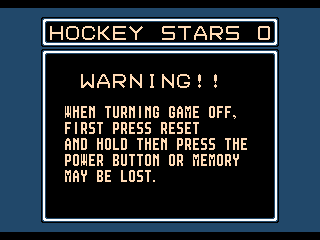
-
NHL 2024 ['94] by JKline3 and von Ozbourne
von Ozbourne replied to von Ozbourne's topic in Genesis Roms
Sorry for the delay in updating folks, but you know, sometimes life doesn't accommodate for the number of roster moves that NHL GM's decide to push through. Also intended on this being version 3, but that trade deadline really snuck up on us while we were working adjusting the rosters and player stats. So now that the dust has settled, he's our Trade Deadline Edition. Changes for this version: Roster updates as of 17 Mar 2024 All player attributes have been adjusted to reflect performances through to the All-Star break Rosters are re-alphabetized and many player photos have been touched up A few small graphical changes, some of which I don't remember and most probably went unnoted by all but weirdos like me anyway Update in the original post as well. Hope you enjoy. NHL 2024 - Retro 94 x 30th Edition v2.1.bin -
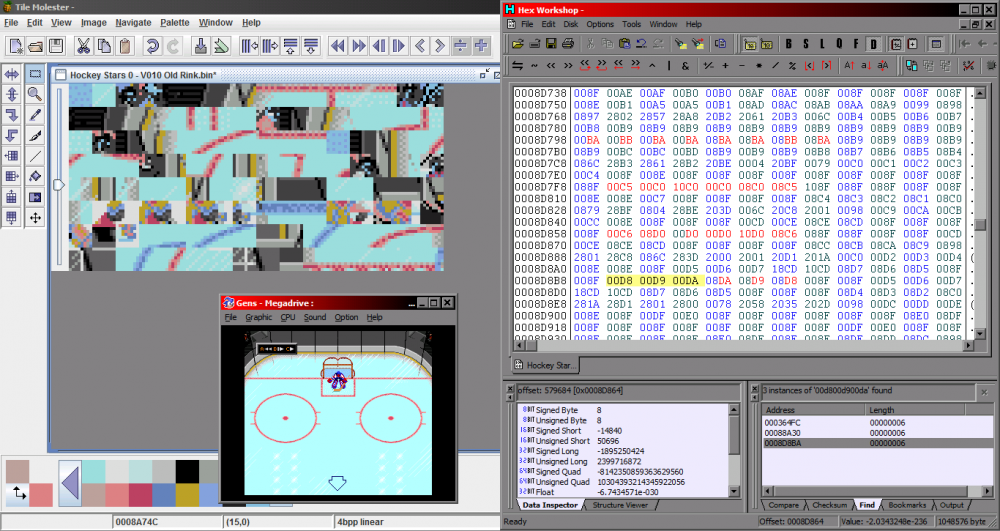
Oh. Well that was silly of me. Just remembered that I was in the middle of my own '93 based project and that I had to do some rink modifications anyway and a square crease would be a nice look for it. [not era specific other than "older"] This is the location of the the tiles and the hex offsets for the top crease. [still have to reverse everything in the hex code for the lower crease and fix the center ice logo, but it's a start]
-
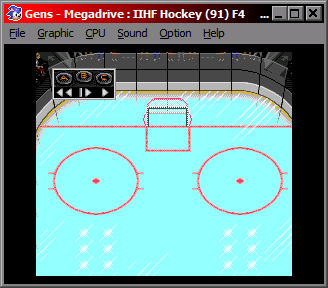
I've put a few different creases in a few games, but apparently only a square one in '92 so far. I don't have the exact location of the crease within the rink tile order data handy at the moment, - other than the rink art assets start at offset 8920C and the rink tile order hex code is at offset 8D290 - but to redraw the crease, I had to use a combination of redrawing the sprites as well as changing the tiling order around in a hex editor.
-
NHL 94: Hockey Night in Canada 1990-1991 Season
von Ozbourne replied to Drezz's topic in Genesis Roms
Oh. Yeah, to be honest, I haven't even really been able to spend adequate time wrapping my head around the organ music tutorials. As much as I'd like to change the title theme, I feel like this is a thing that I don't yet know when I would begin to start, never mind wanting to bother you with half formed questions. [that and the fear of going down the perfectionism rabbit hole eating up hours and hours of time for minimal progress] -
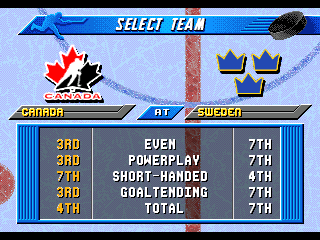
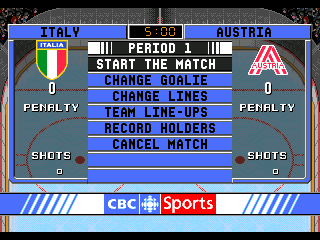
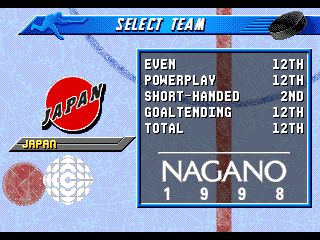
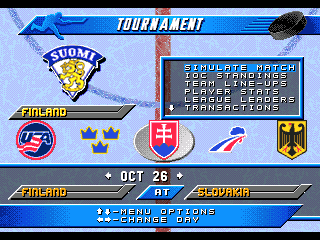
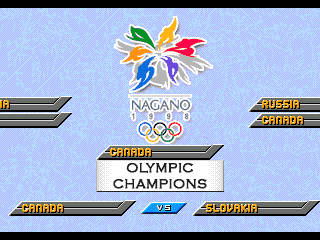
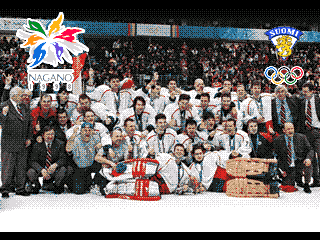
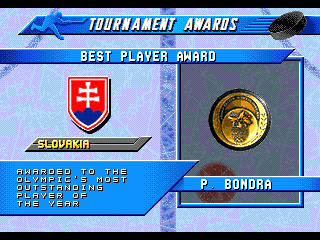
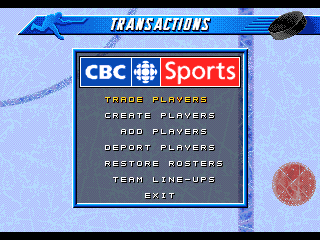
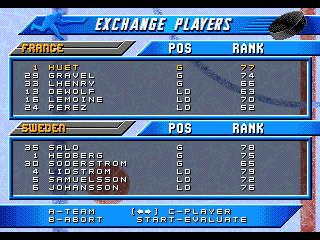
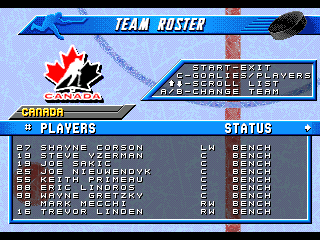
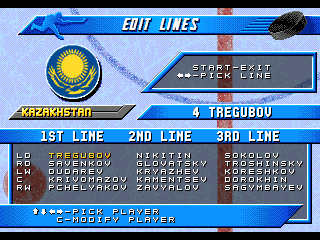
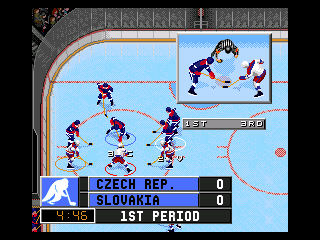
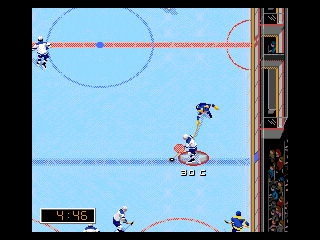
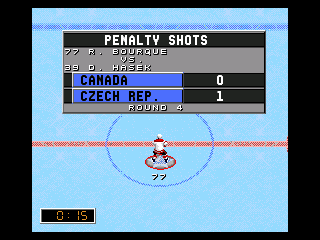
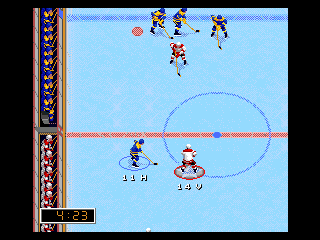
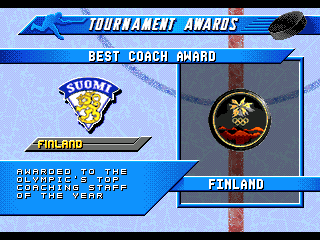
Okay. This one might not be the one you are waiting for, but it's time to lighten up the backlog and make a retro review. The year is 1998. <examples of events and pop culture stuff no one cares about> and the NHL is finally allowing its players to play in the Olympics. To mark the occasion, a couple of video games came out, both of which admittedly were ported from existing games to varied results. The [possibly] more well known one was Olympic Hockey '98 published in North America by Midway for the N64. The game was panned for being a recycling of Wayne Gretzky's 3D Hockey '98 [which itself was recycled from Wayne Gretzky's 3D Hockey]. Ignoring the international reskinning, the game also had the dubious distinction of being a 3-on-3 game, with a broadcast angle view and early era 3D graphics and voice acting that haven't aged well. The second [likely even less well know] game based on the monumental tournament was itself a port, this time based on the EA Sports NHL games, specifically the engine that the '96 through '98 entries were based on. Even more specifically, long time small team developer Team 1920 was contacted to help convert the PAL version of Elitserien'96 over to an Olympic hockey game. Perhaps scared off by the critical panning of the N64 game, EA decided to not have the game ported to NTSC markets, leaving this one as a European-only release. Not wanting to get the improper experience, I was able to import over a nice vintage 21" PAL CRT TV and original SEGA Mega Drive. I was told by some "electrician expert" that I would not be able to convert my house to 50 cycle electrical power, but I was able to get a generator that had the proper output, which coincidentally also had these weird shaped plug sockets that fit the weird shaped plugs on my new-old TV and game system. On a side note, I had to play with the window open, even though it's winter, because apparently "generators aren't supposed to be run indoors you idiot", but I don't think it affected my play too much. Anyway, this is supposed to be a game review, not a baking recipe, so let's get on to it. Presenting: Olympic Hockey: Nagano '98 [or apparently originally Nagano Hockey '98 in Europe] Apparently the original EA publisher logo had to stay [they're so boring], but Team 1920 changed it up for this one as usual. The first thing you'll notice in this game is that the number of teams has been reduced. As opposed to the original 26-31 teams available in NHL '96-'98, this game only has 14 teams. These include all twelve countries that took part in the main 1998 tournament, as well as final Group A qualifiers Italy and Austria. [Italy actually placed higher than Japan in the final standings, but being that the Olympics did take place in Nagano, it's obvious why they were in the main group] Season mode was nice inclusion, even if the national teams don't necessarily play full "seasons". This would be based on the 44-game schedule of the Swedish Hockey League, with the top eight teams qualifying for the playoffs. The game lets you pick your team and shows some team ratings that are [probably] based on how well they stack up against the rest. It appears that even though the game never got an official North American port, Team 1920 was already working with CBC Sports [your official Olympic Games Broadcaster] in Canada. You can also play a standalone Playoff Mode if you chose. This comes in Single Elimination or Best-of-5 varieties. But if you play trough the season [and qualify] you are given a chance to go for gold as well. The difference however, is that if you win the tournament in Season Mode, you are rewarded with a team photo. [that looks suspiciously like...] Another award for completing a season is... awards. The top players [or coaches] get to have their names under medals for being atop their respective metric. One thing to note with this version of the game as opposed to the original NHL games, is that the simulated opponents in a season are a lot more mixed, so unlike NHL'96-'98, where a simulated game or season would normally result in a very predictable outcome [Detroit, New Jersey, Quebec/Colorado finishing near the top of the standings and/or reaching the Finals] the AI is a lot more random in this case, which keeps things interesting. In ten full simulations, I had eight different countries win the championship. Speaking of players, one interesting wrinkle that turns up here that [normally] didn't come up in international hockey [although it is becoming less rare in more recent years] is the inclusion of player transactions. In addition to creating custom players, adding new players to your roster or trading players between different countries, you can straight up deport anyone who under performs. Harsh. [interesting coincidence with this screen shot, as real life Sweden's Samuelsson would actually be dropped from the team after their first game for having applied for a U.S. passport] You can also view all of the rosters and player ratings in this game. Most of the big teams' player ratings come courtesy of NHL'98, probably for consistency's sake and nothing to do with how time consuming it would be to independently calculate every single player from scratch. While annoyingly not on by default, you can also turn on line changes and add your new acquisitions to your starting unit. Another side note. Canada's roster actually includes the injury-reserved Paul Kariya as an extra player, so you can play with either him, or his replacement Mark Recchi, in your lineup if you chose. Game play is pretty standard actually, if you've already played the Genesis versions of NHL'96-'98, but unlike ol' number 99's Atari arcade game, and the subsequent ports, it sticks to real 5-on-5 hockey. Hook up the official EA 4-Way Play adapter for some 2v2 couch multiplayer, or when you get tired of getting charlie-horsed by your big brother, 1vCPU is okay too. There's also a shootout mode, but why the hell would you ever want to play that? On a side note, if you don't feel like tracking down a real copy, I guess you can use an emulator. A couple things to note is that you will want to use the auto-detect or PAL option on your CPU settings or else the game won't boot up. However, once you have the game running, you could actually change the CPU setting to 60hz NTSC, but it will basically act like all of the players are pumped up on steroids and cocaine and the game physics get out of control. Another artifact of the Swedish originated port, is that the player position indicators are still using the Swedish initialization. I guess the code for the single characters was hard to find or something. But as long as you are familiar with your player's numbers, you should be fine. Anyway, no review score. Just try it out yourself if you want. Olympic Hockey - Nagano 98.bin
-
NHL 94: Hockey Night in Canada 1990-1991 Season
von Ozbourne replied to Drezz's topic in Genesis Roms
Actually, if you're getting back into the act, I'm kind of curious. I have a project that's been on the back burner for so long that it's basically charcoal at this point, but it's the type of thing that would really really lend itself to a music makeover. Haven't really had the time to grok the organ music tutorial all that well, which probably doesn't help, but I have no idea how you were able to rewrite the title theme. Don't suppose.... he said sheepishly leaving the though hanging. -
NHL 2024 ['94] by JKline3 and von Ozbourne
von Ozbourne replied to von Ozbourne's topic in Genesis Roms
You forgot? What is this? Some kind of final blow dismissal? "Oh I'm sorry you spend so much time thinking about me as your nemesis, but I just don't think about you... at all." And to say you concede? Like it doesn't matter so much that you will tell me I'm a winner out of some sense of pity because my fragile ego wouldn't be able to handle it otherwise? And now you're going to say that I'm asking all of these questions because, I'm apparently stalling hoping I might remember where I'm supposed to be going with this? Well... So? I'll be honest, I'm sure it would be more interesting to see it in person, but as far as on TV, I stopped taking the skills competitions seriously about when I started to notice the NHL stopping to take them seriously. Like when the breakaway competition started becoming more like a slam dunk competition. Ovi with two stick, Kane with a cape, Voracek with... Gaudreau. And then they changed the voting process to stop fans from having fun with it and adding a guy like John Scott to the team. I do appreciate that you think I might be skilled at 4D chess though. To be frank, I'm not much at 2D chess, never mind doubling the Ds. I always figured I'm more of a "take your RNG thing if choice and G some RN's with it and then adapt" type. Helps when your plan gets tossed out the window after Step 1, or when you just forgot to make a plan. Supposed to be talking something about a game huh. Yeah, schedules are hard, so I'll just say that it's getting there. -
I want to make a joke about your crossing your Russian hacker friends and them employing some Novichok as a way of expressing their displeasure, but instead I shall just wish you good health and good luck.