
von Ozbourne
Members
-
Joined
-
Last visited
Everything posted by von Ozbourne
-
I can relate. There was a player on the 1920 French Olympic team who according to all the official records, was only ever known as F. Cattia. Either his parents were jerks or since he was an underutilized spare in the ironman days, he was deemed inconsequential. [dirty secret. I eventually just gave the mystery man the nickname "Francois" since its literal translation to English means "Frenchman"] Even in the 1990's, only thirty years ago when this was supposed to be better, some of the international teams were so hard to get information on, that I had to get help from a couple of guys in different countries that had access to information that I just couldn't crack otherwise. The takeaway was that while I could put together most of the artwork in a couple of weeks, [not including player photos] that was only 10% of the total time I spent on each of those mods, because sometimes record keepers just didn't seem to be good at their job description or realize that in 20-120 years from then, some weirdo is going to want to make a crazy moving picture game about the sport they are watching. The fact that it is happening at all is nothing short of astonishing.
-
@AdamCatalyst That might be an idea... To be fair the only thing I know was from this thread. Although I suppose I also know from a couple of hacks including the numerous attempts at solving the Winnipeg freeze bug, that a "6002" is what you use when you don't want the code to do a thing. But much like how an early freeze bug fix just nuked all of the save data including that which gave you the ability to play the playoff mode, it might be possible to take a more surgical approach. I will note that the current method is kind of fun in that you can have coaches/managers in the game, listed in the roster, but by making them "Forwards", they will only show up in the Main Menu roll call or Player Card screen and not be eligible in the Edit Lines screen even if you decide to assign them to the extra attacker roll. I've used this twice already, but I understand that I may be in the minority on that.
-
Ah bollocks. I had fixed the CBJ mistake in the upcoming wide screen update, but forgot to save the correction in the standard version. Quickly fixed and updated the main post. As for the line saving function, this was already noted in the main post notes. I've included an option to play any player at any position. This would be most common in a case where a team uses a 4F/1D lineup on the PP, less common these days where some players would shift at various points in their career or during a game depending on how the coach was adapting to specific on-ice situations. The problem with the PA³ mod is that it conflicts with the line saving data. Admittedly I never remember to save lines and will always just edit them every time I don't just use the default, so I tend to forget about this drawback. Now, I coincidentally came here to look up something. If i can only remember what that was...
-
Maybe? It might depend on what level of roster updating you are looking to do. NOSE is the tool for editing everything Team/Player data related. If you need, the whole resource on that program is here https://forum.nhl94.com/index.php?/forum/18-nose/ But one thing you can't do in that tool is edit the player pictures. That can be a bit of work, however, it almost sounds like you're not going to want to worry about that as you could very well be changing players on a near daily basis if you start accounting for up-and-down fourth liners and healthy scratches. This isn't so much of a big deal with some of the other ROMs on this site as a lot of them only feature pictures of the top line, but we are using the full team pictures mod and that can get a bit messy if you start changing your 1st line or looking at the player cards screen. Although, given that NHL95 couldn't do that, maybe this isn't a big deal?
-
Thanks for that @AdamCatalyst. I will note that when I play, a lot of penalties are usually handed out like the ref thinks he's Dr. Tran at your local record store. But I've never experienced any issues except for that one specific scenario where the math of Penalties x 2 + Goalie - 1 is maybe glitching something in the game logic when it needs to figure out how many players are supposed to be on the ice. Given the short window of time for all of those things to happen, I've not really been able to test this all that well. In light of this fix though, I figure I might as well update Minnesota's arena and put out a mini update in the main post. Wide screen with new player photos is still on the way. Just not right now.
-
My first reaction was to reenact a common scene in my childhood home any time a certain child made the mistake of saying that a person or thing was coming [along]. Inevitably followed by a certain adult pointing out that "So is Christmas." But since it works out that Christmas is not far away, I guess I better get cracking. Although I would think that it shouldn't take as long as that.
-
That image is equally intriguing and disturbing. And the face is actually giving me more vibes of another former Leaf.
-
I was just thinking the same thing actually. I recalled seeing @Drezz 's three guys behind the bench and marvelled at the technical side of making that happen, even if it didn't really fit with my normal style. I liked what you did with the one coach and two tunnels on either side, and figured that I couldn't straight up lift that for one of my games. I had already gone with a third option [limitations being the mother of creativity] in my WWF ROM with simply dividing the middle tunnel into two with a dividing section in the middle with a simple home-team-coloured stripe painted on the wall so I just adopted that idea to my default widescreen ROM, with the addition of one coach. [one is enough]. Getting the animated head and colour changing tie to work was time consuming enough make me call it there. I might note that in the failed pile, I was experimenting with making an arena with the tunnels on opposite sides, but then that not only means removing the section between the penalty boxes in the overhead view, but also drawing a tunnel on the pause screen.
-
Not sure what annoys me more. That I missed that. Or that it is that. Guess I have something for the update list. This is something I would never bring myself to do, but instead of using crowd animation tiles for coaches and rink-side commentators, it wouldn't be too hard to just repurpose all of those tiles into animated board ads. Once you get past the urge to throw up anyway.
-
That's a fair bit of work. Luckily I already did that with the wide screen version. So watch this space I guess.
-
Thanks eh. Some tricks. I was able to use 16 colours for the uniform and background layers and separated the face out to use it's own dedicated palette.
-
<makes sad face> but thanks. Yeah I seemed to have trouble adapting the official splash image this year, but I liked how this one looked. I had some extremely specific game crashing issues with my widescreen mod that were completely unrelated to the widescreenening, but I was finally able to track down the mistake last night. Will be transferring over the main graphics at some point this weekend and updating the rest of the player photos to their official 2025 picture day versions when I have time. Patience please. Haven't decided if I'm going to try to maintain two separate versions though or just have the wide mode supplant the standard version. I never use the standard view anymore, but I know that some people like it. Although, to be fair, I've made enough graphical changes to this mod that it doesn't feel like it fits into that rigid old school purity box.
-
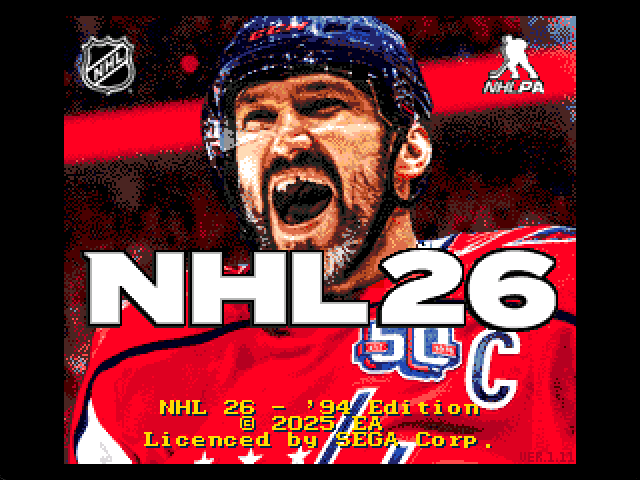
Better late than never? Updated info in the updated original post. Enjoy hopefully. NHL 2026 - 94 Edition v1.0.bin
-
Hi. We're hoping this weekend. The good news is that we don't really have that much left to do in it, but the bad news was limited free time to do it and we can't put it out incomplete. I would say that it will be dropped before GTA6 is, but that's not committing to much.
-
Unfortunately I don't think using the second controller to edit lines in '95 is possible. If I were to venture an educated guess, I would say that is because of its unique game engine. For Genesis/MegaDrive anyway, '92, '93 and '94 are all built on the same engine. '92 just goes straight to the game play after the match-up screen so it doesn't give you the opportunity to mess with the CPU team's lines [you actually can't even edit lines in the game anyway], but '93 and '94 will. '96, '97 and '98 are all built on the same engine as well and you can also mess with the CPU team's lines or pull the goalie on it. '97 and '98 also added a menu option to switch teams in the middle of a game so you can even play as them or add a second player mid-game if you wanted. I think being a turncoat could mess up how the game thinks you won/lost in a playoff run, but I might be misremembering that. Anyway, the problem here is that '95 is built on a unique engine when compared to the rest in the series and while it has a completely different menu setup and allows you to play a season mode where you can play every single game, it does not seem to support controlling a team that you did not specifically select in the Controller Setup screen. So yeah, unless you wanted to permanently edit the lines in NOSE, I'd have to say that you are out of luck there.
-
To be fair, I think that rating was a hangover from last year when they were "anticipated" to be a bit better than that. Also these are just predicted rosters from following news over the summer. There will be some changes when V1.0 is ready. I will say that new player photos are in the works, but mainly just converting the official ones from NHL.com, I had to look up this mattress ad. [Jump into bed with Jakub with Jumpbed?] Pretty funny, but damn that is a horrible picture to try to colour balance.
-
Yeah, it does have it's pros and cons. On the plus side, you can edit your lines to have things like a 4F-1D power play arrangement if you like. Or move guys around in those rarer cases where a player has been both a forward and defence at points in his career. In a couple cases I've used the fact that you can't view the forwards in the edit lines screen but can in the player cards screen, to include a coach/manager. The drawback, as was brought to my attention after using this for a while, is that something with that single 6002, also messes up how the saving function works. So if you're the type who likes to play with a specific line combination, you're going to have to manually edit that line every time. I play with line changes on, so I didn't notice this right away, but if you play with them off and like to have a different line from the default, you would need to set a new default in NOSE to avoid needing to manually change the lines every time. This could cause a conflict when playing online though so that's a thing to keep in mind.
-
Forgot I posted about NHLPA'93. Had to look it up from scratch after accidentally breaking the game. Was hoping this could be done in NHL 95 as well. Fortunately it can. Offset: (hex)095306 Change: 3438 to 6002 edit: Should note that while this works for the Edit Lines screen, it completely breaks the Team Roster screen. The issue is that you still have to scroll through positions Goalie > Forward > Defence and the prospect of displaying 0 forwards glitches and freezes the game. To be fair, there is no information that can be viewed on the Roster screen that can't also be viewed on the Edit Lines screen, ...unless you want to look at your opponent's player's ratings. So depending on how you play, you will need to chose between roster flexibility or coaching strategy.
-
Thanks @Ronnie hope you had a good summer too. This is where I say actually... The short summary is that we did put out a "preview" for this 2025-26 season here. But the slightly bad news is that while this is really a beta version and is about 90% of the way there, this is a partnership with @Jkline3 and coincidentally, both of us are kind of dealing with some extracurricular stuff we'll say. Don't worry though because it just means that while you'll have to settle for this version on opening night... today, it will probably only be a couple weeks or so before version 1.0 is ready to go.
-
Thanks for liking it. Actually I have to admit that I was confused by your question. I had been tweaking things with a "test bed" ROM for so long that I'd forgotten that this one wasn't already wide screen. i also have to admit that I've gotten so used to the look of wide mode that going back the old-fashioned square screen looks weird. I'll probably roll that out with or shortly after version 1.0 is done [basically just waiting for the teams to figure out their final rosters at this point] Although now I'm wondering if a separate non-wide mode is worth it anymore. Maybe that's too drastic a step and a proper survey should be conducted before making any rash decisions. As for the net camera, to be honest, and I've seen a couple interpretations, but I never really liked the look of it. Given how few pixels there are to work with, it's either a choice of making something big, chunky and ugly, or small, obscure and ugly. Either way, there are some trade offs to be made and I just prefer to keep a clean look for some things.
-
Looks like this ROM was based on a version that used to have different teams? Guessing since Vancouver's description is about the Syracuse Bulldogs vs Toronto's Charleston Chiefs and there is no comment on Anaheim or Arizona. Since Ron Barr's comments are just linked to the offsets and don't care what text is in that section, the only thing to do is just start at offset 0x95D1E and copy/paste the Ron Barr comments into the order the teams appear on the selection screen.
-
Had to look again because I thought that was weird. The goalies are in the file. But they are listed as Forwards instead of Goalies. Not sure why it does that. Probably something to do with how the games only really differentiate the Forward and Defence divide and Goalie bytes are a separate thing, but it does make reading the rosters a little bit less clear.
-
Technically? It does depend a bit if you are using the original ROM vs the 30 or 32-team expanded versions. If it's the original, there is a list of player names and offsets used included in the folder for the EARE tool. This is used by the tool to set the photos used by the player with the corresponding name regardless of where they appear in the roster data. Going to these offsets in your sprite editor of choice can also allow you to see the photo that will be linked to that player. The expanded versions are a bit different and easier to look at. If you open the ROM in a hex editor and go to offset 040E, that is the start of the list of player photo links. For example, in the 32-Team expanded ROM, the first entry is "0012 095E 0000". This means that the player photo at offset 0012095E is the photo being pointed at and player 0000 [the first player, ie: starting goaltender] is the player that that photo is linked to. The next photo in line is 00120CC8 and the 00XX number will depend on what the second player on the list will be. Usually this is a forward or d-man on the top line, but it could be anyone and the "XX" will refer to that player's spot on the roster list [0004 for the player in the fifth roster spot 000F for the 16th, etc.] I should also note that there are some versions of ROMs on this site where only the top line has photos, and the remaining 20 roster spots are generic cards. In these cases, the "00120CC8" or whatever offset number you're looking at, might just be 00000000. in these cases, the game just pics the default righty/lefty goalie/player image. Now granted, the offsets could be changed to whatever order you want depending on what photos are already in those offset locations, or, slightly easier, you can change the player order to match the photos in that list with what player you would like them to be linked to. That all said, this is just an overview based on the presumption that you have some familiarity with these tools. There are some good tutorials on this forum, or if you just need some clarification on something, drop me a DM and I can elaborate. I will say though that depending on how much ROM editing you've done already, one method I've done when I was just starting out was to simply open the ROM in NOSE and an emulator at the same time, and when I needed a player to match a certain photo after the roster and new photos were set, I just used "Move Up/Down" buttons to shift a player's roster position until the photos lined up with who I wanted. [did I mention I was just starting out? It just seemed easier than trying to figure out what I did not yet understand enough to do properly]
-
Huh, I did not know the offset to make the tool work with '93. Although to be honest, I figured it wasn't coded to recognize the way the other games organized roster data. As a time saving workaround I would just import a roster spreadsheet into '94 and then copy/paste the player data into '95 through '98 when applicable and just did the same for '93. Don't notice an issue with the tool linked, but if it helps, here is the spreadsheet. NHLPA93 rosters.csv
-
I mean... Turnabout is fair play. 😉