
BigValboski
-
Posts
17 -
Joined
-
Last visited
Recent Profile Visitors
652 profile views



BigValboski's Achievements






-

Genesis Quick Draft League
BigValboski replied to TecmoJon's topic in League Ideas / Other Discussion
In -
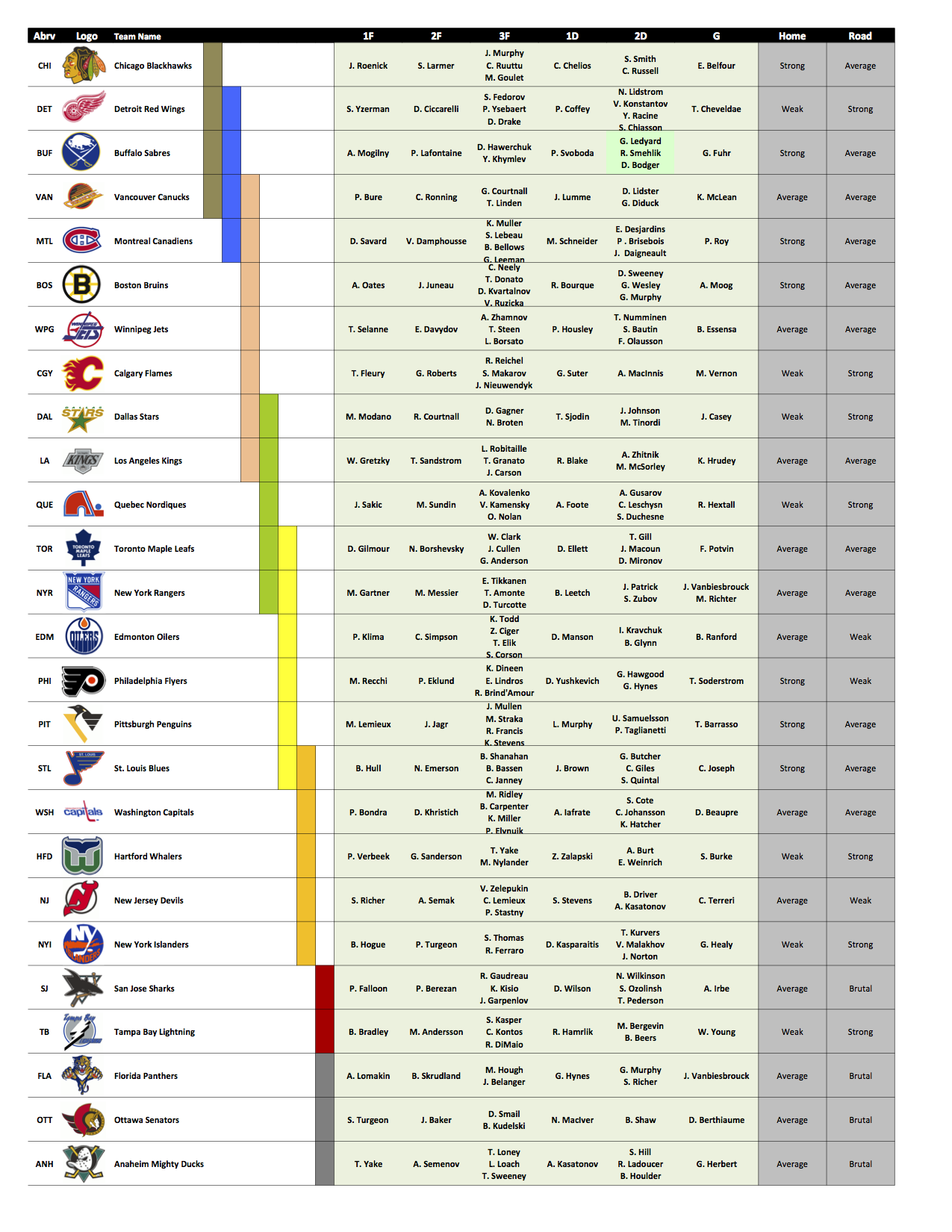
Team Name: St. Louis Blues LD: Svoboda RD: Sjodin LW: Klima C: Roberts RW: Drake X: Thomas 3rd D: Howe G: Moog
-
In
-
Olympic Hockey: Beijing 2022 [The Series]
BigValboski replied to von Ozbourne's topic in Genesis Roms
Gold Medal Game tonight around 9pm EST, all who are interested should tune in here: https://www.twitch.tv/big__valboski -
Olympic Hockey: Beijing 2022 [The Series]
BigValboski replied to von Ozbourne's topic in Genesis Roms
Quick question, does this rom have the weight bug applied or removed? -
Gauging Interest in Joining The SNES NHL '94 Cup Chase
BigValboski replied to Tickenest's topic in Global Announcements
Interesting concept, I'm in. -
BigValboski changed their profile photo
-
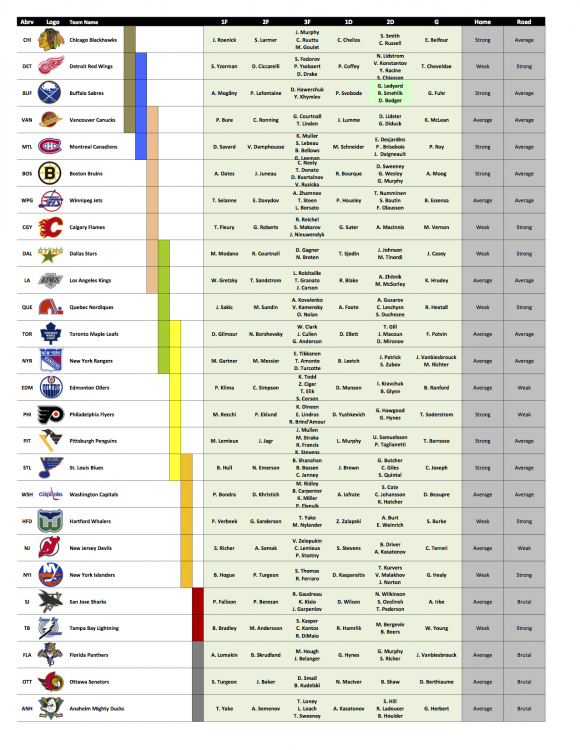
How are they still available? Pitt! EDIT: Oh, now I see...
-
Big takes Chi-town
-
Hey everyone. Big__Valboski here. I first stumbled across NHL94online in late 2019. After reading about SoChel I finally convinced myself to join. I grew up playing 94 mostly on SNES but had friends who played on Gens, as well. This game was a huge part of my childhood and I am looking forward to regaining and learning new skills! Fun fact about myself: Born and bred in northern, NJ. Worked 4 years for the New Jersey Devils and had a ton of face-to-face interaction with players, most notables Martin Brodeur, Jaromir Jagr, and Ilya Kovalchuk. My ultimate claim to fame was having lunch with Doc Emrick. He had stories for days. And yes, he converses the same was he commentates. I'm looking forward to joining the league and getting to know you all!
-
I want in! B/C for me. Wherever you need balance, it's all good.
-
I'm in! I'll go C league (working on Sega skills)
-
North Dakota! I'll download the rom and everything tomorrow! Discord: Big__Valboski
-
I'm new, but available for replacement. Just need to set up my downloads, etc.
-
Awesome! Will I need to provide anything or just sit tight with everything downloaded and my roster in mind?
-
Interested in both, grew up playing both, prefer SNES. I just want competitive play! Is there a way to get in?