Sabre Dance
-
Posts
201 -
Joined
-
Last visited
-
Days Won
1
Recent Profile Visitors
10,302 profile views






Sabre Dance's Achievements




-
Exciting news for anyone that enjoys this game!
- 88 replies
-
- 1
-

-
- triple play
- world series baseball
- (and 10 more)
-
We can touch base tomorrow, I definitely want to see what you’ve done so far. I’ve updated a few helmets but it won’t matter if you prefer to use logos.
-
I like both equally. 98 is great because of the sliders but I like Primetime because it features the franchise pictures and the games always seem to finish close. I recently finished a season with the Bills and I ended up 13-3 and went to OT twice. Do you have a preference? By the way, I think it’s great to see some other people enjoy this game still.
- 88 replies
-
- 1
-

-
- triple play
- world series baseball
- (and 10 more)
-
I’m totally into helping with a Primetime update, I love that game.
-
Wow. I’m impressed!
-
Hi, I am just reading your post from 2008 on sega-16.com forum about NBA Action 95 which I consider as the best basketball retro game of all time (reminds me of TV Sports Basketball which I played heavily in early 90s), glad someone likes this game too! :-)
-
-
1
-
- Report
-
I've been following you for a while now. Love it...
-
I care.
-
This is my updated rom, awesome! I'm glad you updated it!
-
Reminds me of this gem... I have no idea why I can't embed this clip
-
I assume these updates are for the pc version?
-
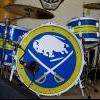 I have no problem with the ruling, even as a Sabres fan. It should have been addressed on the ice and it wasn't. Just because we couldn't take care of it doesn't mean Shanny had to.
 -
Trading players for picks should not even be mentioned. It's ridiculous.